Help & Guide
Trainingszettel lets you build workout plans and log every set with your thumb — completely private and local in your browser. No account, no cloud, no cookies.
Quick start
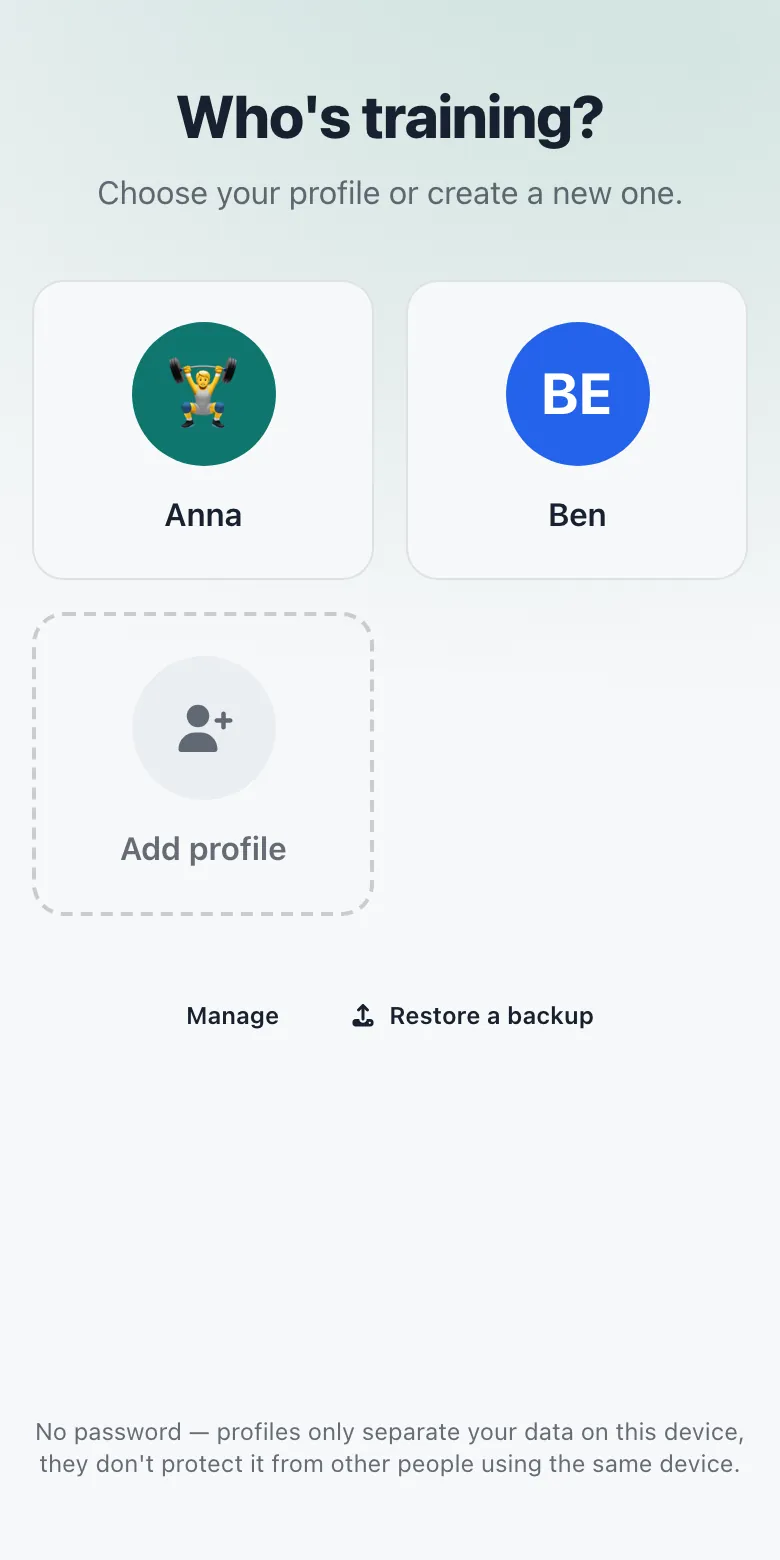
1. Create a profile
On first visit you land on the profile picker. Create a profile with a name (plus optional emoji and color). You can have multiple profiles on the same device for different people or training styles.
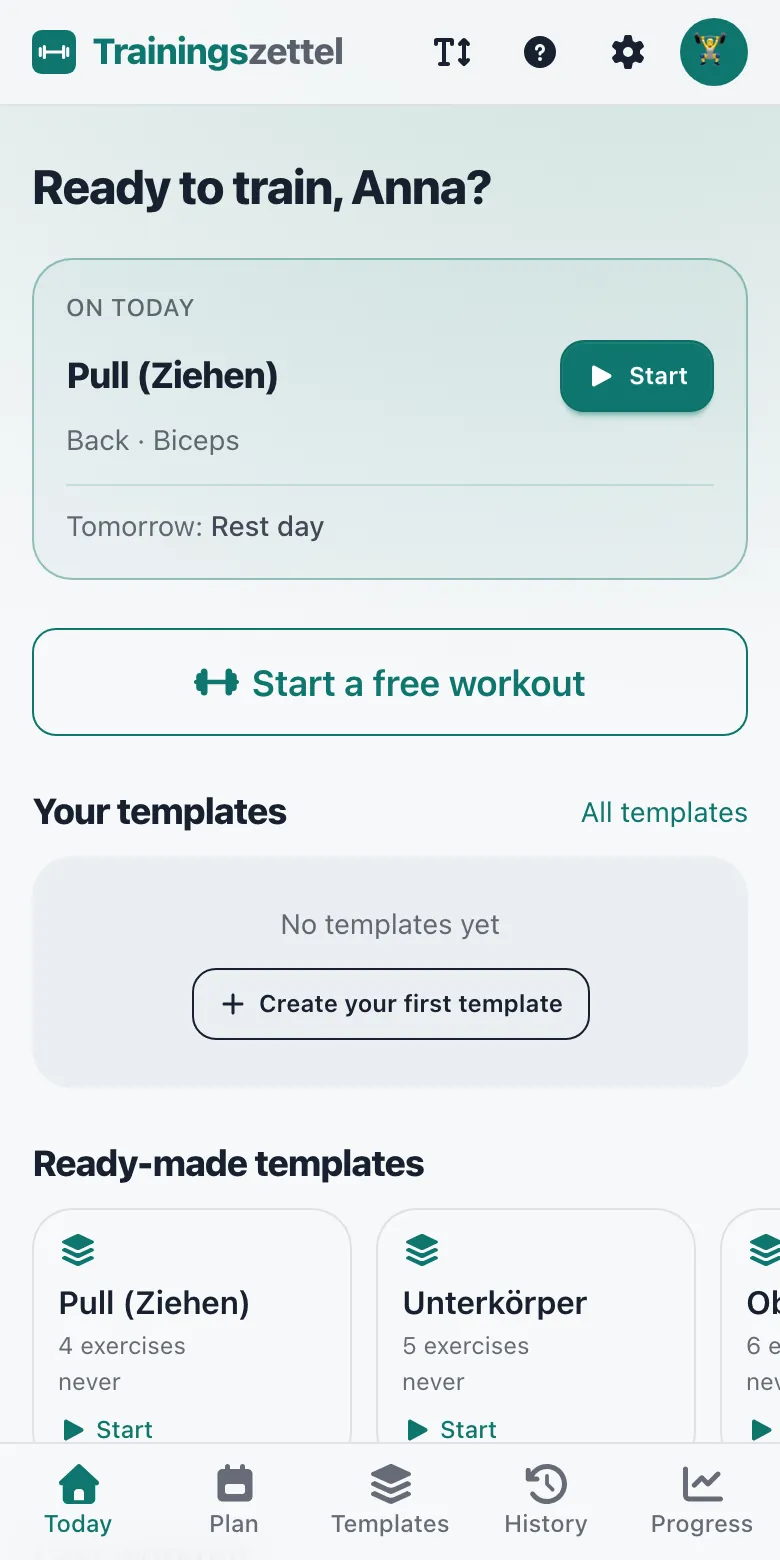
2. Land on „Today“
After picking a profile you arrive at the „Heute“ (Today) launch screen. From here you can start a free workout or pick one of your templates instantly.
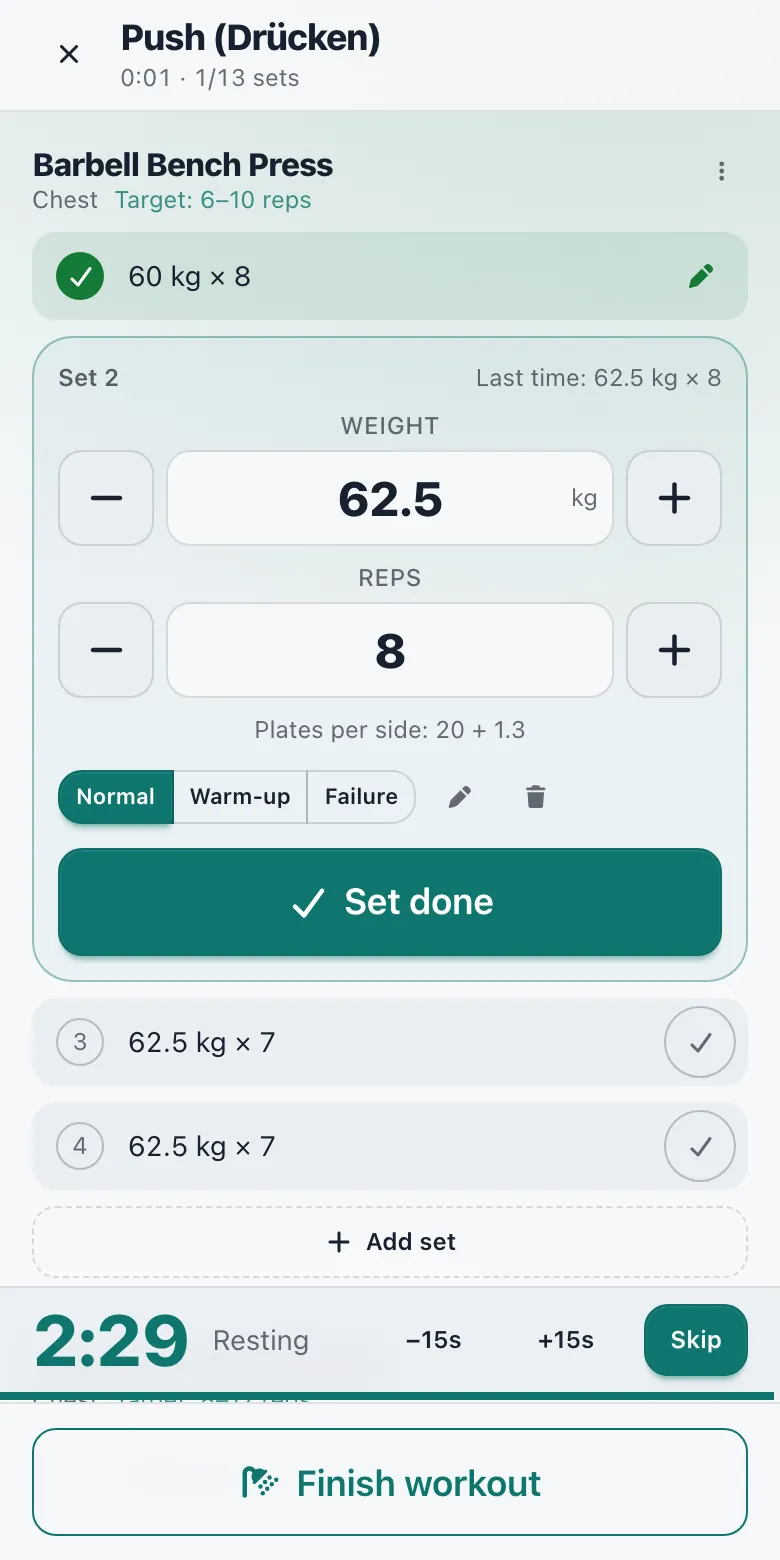
3. Log your sets
In the workout screen just tap the big buttons. Adjust weight/reps, mark sets done — that's it. The rest timer starts automatically if you have it enabled.
The „Today“ screen
Your daily hub. You see:
- Your own templates (sorted by „due“)
- Built-in starter templates (Push, Pull, Legs, etc.)
- The „Start free workout“ button
- A resume prompt if a workout was interrupted
Tip: If you haven't exported in a while you'll see a backup reminder here. Your data only lives in this browser!
Logging sets
The core of the app. The workout screen is optimized for the gym:
- Large, thumb-friendly targets that work even with sweaty hands or gloves.
- Your values from last time are pre-filled automatically.
- Warm-up sets are supported (they don't count toward PRs or volume).
- Rest timer with configurable default and auto-start option.
- When you're done, tap „Finish workout“ — everything is saved locally and you get a summary.
Working with templates
- Templates are reusable workout plans.
- Create them from the „Vorlagen“ (Templates) screen or directly after finishing a workout („Save as template“).
- You can reorder, add or remove exercises inside a template.
- When you start a template it automatically seeds the best last-known weights/reps for you.
Weekly plan & rotation
Under “Plan” you decide which days you train what — then “Today” shows you exactly what’s up.
- Weekdays: assign one or more templates to each day (e.g. Mon + Thu legs, Tue + Fri arms). Days without a template are rest days.
- Rotation: your workouts in a fixed order, independent of the weekday — after each finished workout the next one is up.
- On “Today” you start the planned workout with one tap. Finished workouts are marked as done.
- Your plan references your templates — edit a template and the plan picks up the change automatically.
History & Progress
Under „Verlauf“ (History) you see all finished workouts in chronological order. Tap any entry for full details.
The „Fortschritt“ (Dashboard) tab shows:
- Personal records (PRs) per exercise
- Volume trends and charts
- Quick overview of recent sessions
Body stats
Under „Body“ — reachable from the „Body stats“ tile on „Today“ — you log your weight and/or body fat for a day, with an optional note. A second entry on the same day updates the first.
Weight and body-fat trends appear as charts, followed by the list of all measurements to edit or delete. These values stay on your device too.
Your data – Export & Backup
Everything (profiles, plans, logged workouts) lives only locally in your browser (IndexedDB + localStorage).
Export regularly! Go to Settings → „Export data (JSON)“. The file can be imported again later — on a new device straight from the profile picker via „Restore a backup“.
You can also completely delete a profile from the Settings screen.
Add it to your Home Screen
Installed, Trainingszettel opens like an app, without the browser bar. On iPhone and iPad it is also the best protection for your data: Safari may delete data stored by websites you haven't opened for a few days — an app on the Home Screen only counts its own use.
- iPhone/iPad (Safari): tap “Share” (the square with the arrow pointing up), then “Add to Home Screen”.
- Android (Chrome): open the ⋮ menu, then “Install app” or “Add to Home screen”.
Gym tips
- The app works offline once it has been loaded once (service worker + cache).
- Big touch targets — great on a phone in your hand or lying on the bench.
- Rest timer + optional notifications help with timing between sets.
- If you train on multiple devices: export/import regularly or just bring the same phone.
- Always export before clearing browser data or switching devices.
Still have questions?
Feel free to reach out via the contact form. Feedback, feature requests and bug reports are very welcome. Contact.